macOS Through the Years: Every Version You Should Know
From Aqua's glossy buttons to Liquid Glass — here's how Apple's desktop OS evolved, one release at a time.
What is macOS?
macOS is Apple's operating system for Mac computers. It powers everything from the menu bar to the Dock, and has been the backbone of Mac computing since 2001. Over 22+ major versions, it's gone from a bold Unix-based debut to one of the most refined desktop experiences in the world.
🆕 macOS 27 (2026) (NEW)
🆕 macOS 26 — Tahoe (2025)

Released: September 15, 2025
The most visually dramatic redesign since Big Sur. Tahoe introduces Liquid Glass — a translucent, reflective design language applied across the entire OS. Icons are customizable in color, windows have layered transparency, and the interface feels alive.
Key Features:
Liquid Glass design system (translucent UI, dynamic reflections)
New Phone and Games apps
Spotlight overhauled with AI-powered search
Unified version numbering (now macOS 26, matching iOS 26)
Last version to support Intel Macs
Supported Devices: All M-series Macs; limited Intel Macs from 2019
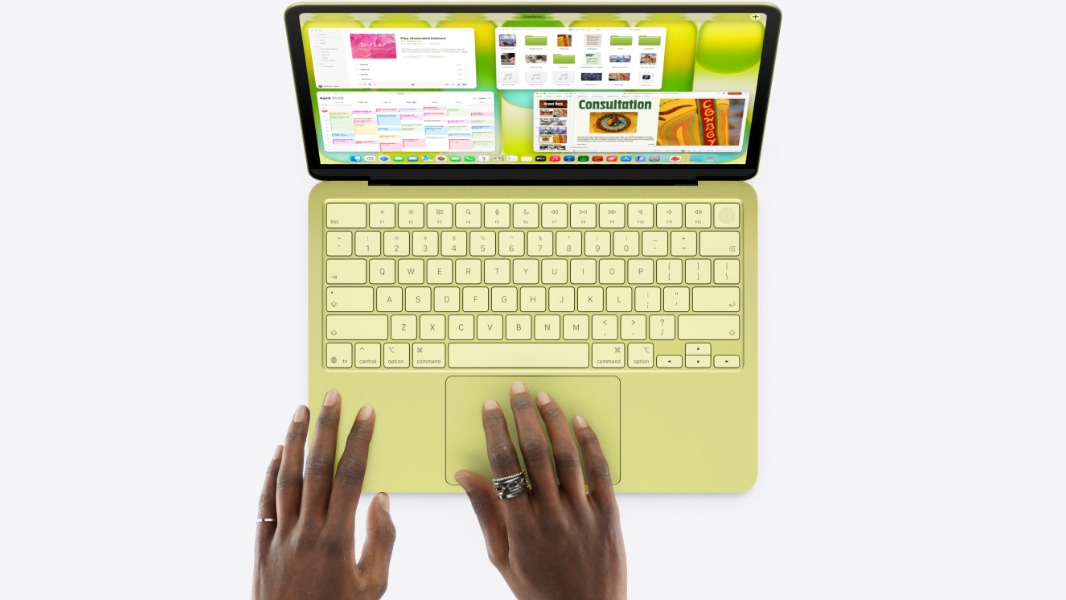
UI/UX Perspective: Liquid Glass is polarizing — beautiful in motion, but raises legibility questions. Apple is betting on material depth over flat minimalism. It echoes visionOS aesthetics brought to the desktop.
macOS 15 — Sequoia (2024)

Released: September 16, 2024
Sequoia is where Apple Intelligence landed on the Mac — a suite of AI writing, image generation, and Siri upgrades. The headline feature was iPhone Mirroring: control your iPhone directly from your Mac.
Key Features:
Apple Intelligence (Writing Tools, Image Playground, Genmoji)
iPhone Mirroring — full iPhone control from your desktop
Window Tiling (finally, native snapping like Windows)
Dedicated Passwords app
ChatGPT integration in Siri
Supported Devices: M1 and later for Apple Intelligence; Intel Macs from 2019 for basic features
UI/UX Perspective: Window tiling was long overdue. The AI tools are tastefully integrated — not shoved everywhere. iPhone Mirroring blurs the line between devices in a compelling way.
macOS 14 — Sonoma (2023)

Released: September 26, 2023
A quieter release focused on quality-of-life. Sonoma brought interactive desktop widgets, stunning video screensavers, and a dedicated Game Mode for better performance during gaming sessions.
Key Features:
Desktop widgets (interactive, not just decorative)
Video wallpapers and screensavers (Apple TV-style)
Game Mode for optimized CPU/GPU during gaming
Presenter Overlay for video calls
Improved web apps via Safari
Supported Devices: MacBook Air/Pro (2018+), iMac (2019+), Mac mini (2018+), Mac Pro (2019+)
UI/UX Perspective: Desktop widgets finally feel purposeful. The animated wallpapers add personality without clutter. A refinement release — not revolutionary, but polished.
macOS 13 — Ventura (2022)

Released: October 24, 2022
Ventura introduced Stage Manager — a new way to organize open windows and apps into focused workspaces. Also noteworthy: you can now use your iPhone as a Mac webcam (Continuity Camera).
Key Features:
Stage Manager for multitasking
Continuity Camera (iPhone as webcam)
Redesigned System Settings (iOS-style layout)
Spotlight with richer previews
Mail app overhaul with undo send and scheduling
Supported Devices: MacBook Air/Pro (2018+), iMac (2017+), Mac mini (2018+)
UI/UX Perspective: Stage Manager was divisive at launch — users either loved or ignored it. The System Settings redesign caused friction for longtime Mac users expecting the classic grid. A bold structural shift.
macOS 12 — Monterey (2021)

Released: October 25, 2021
Monterey deepened the Apple ecosystem with Universal Control (one mouse and keyboard across Mac and iPad), AirPlay to Mac, and SharePlay for synced media experiences during FaceTime.
Key Features:
Universal Control (seamless Mac + iPad input)
AirPlay to Mac
SharePlay for co-watching over FaceTime
Focus mode synced across devices
Shortcuts app comes to Mac
Supported Devices: MacBook Air/Pro (2015+), iMac (2015+), Mac mini (2014+)
UI/UX Perspective: Universal Control is magic when it works. Monterey continued Apple's push to unify the ecosystem — your devices started feeling like one system rather than separate products.
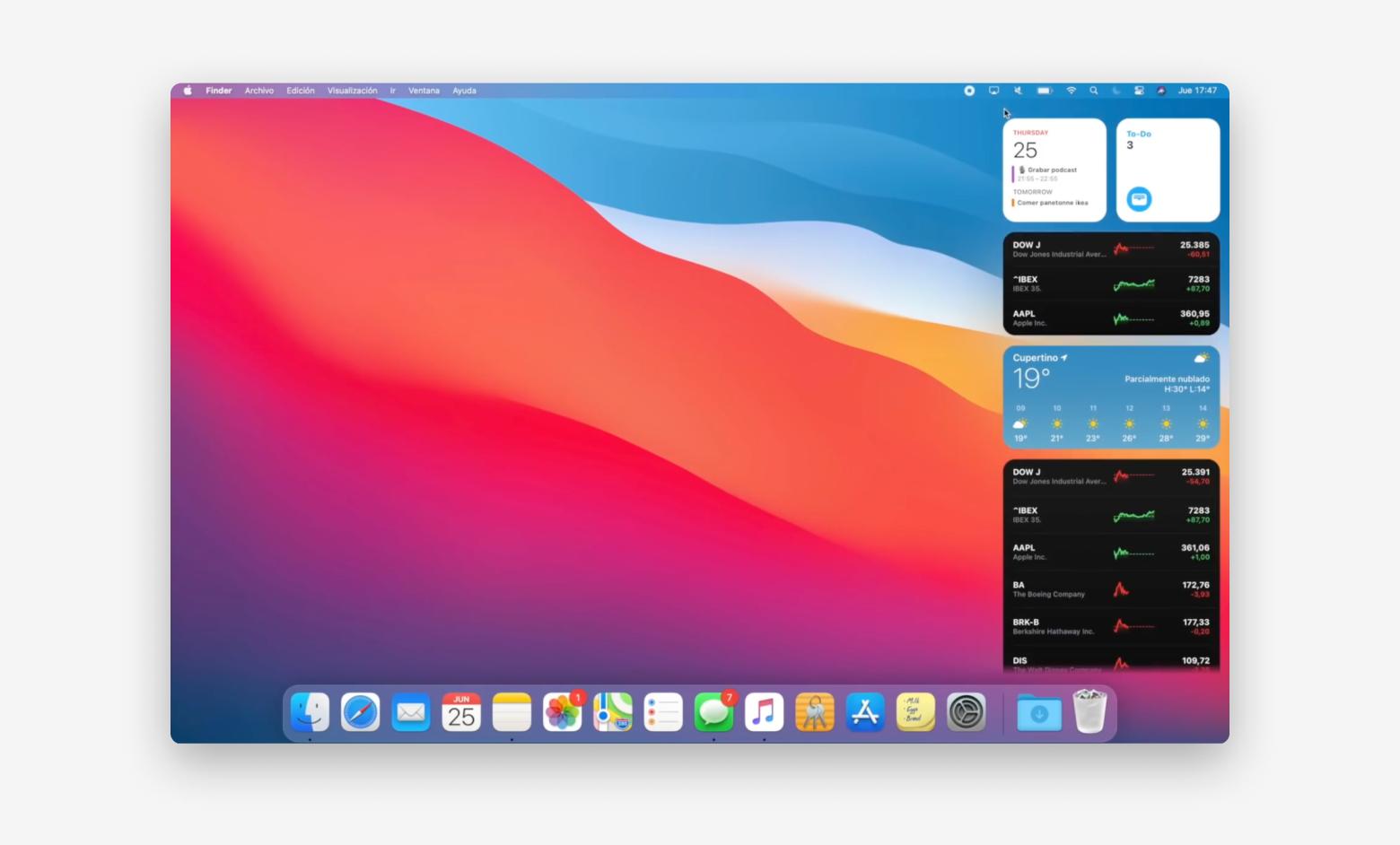
macOS 11 — Big Sur (2020)

Released: November 12, 2020
The biggest visual overhaul in a decade. Big Sur redesigned nearly every element of macOS — bigger icons, a translucent sidebar, a refreshed menu bar, and a Control Center borrowed from iOS. It also launched on Apple Silicon (M1 chip).
Key Features:
Complete UI redesign — rounded icons, SF Symbols throughout
Control Center added to menu bar
Notification Center overhaul
First macOS to run on Apple Silicon (M1)
Safari rebuilt for performance and privacy
Supported Devices: MacBook Air/Pro (2013+), iMac (2014+), Mac mini (2014+), Mac Pro (2013+)
UI/UX Perspective: Big Sur was a statement. Apple moved from sharp, professional aesthetics toward a friendlier, iOS-inspired look. Some designers mourned the old visual language; many welcomed the refresh. The M1 launch made this version historically significant.
macOS 10.15 — Catalina (2019)
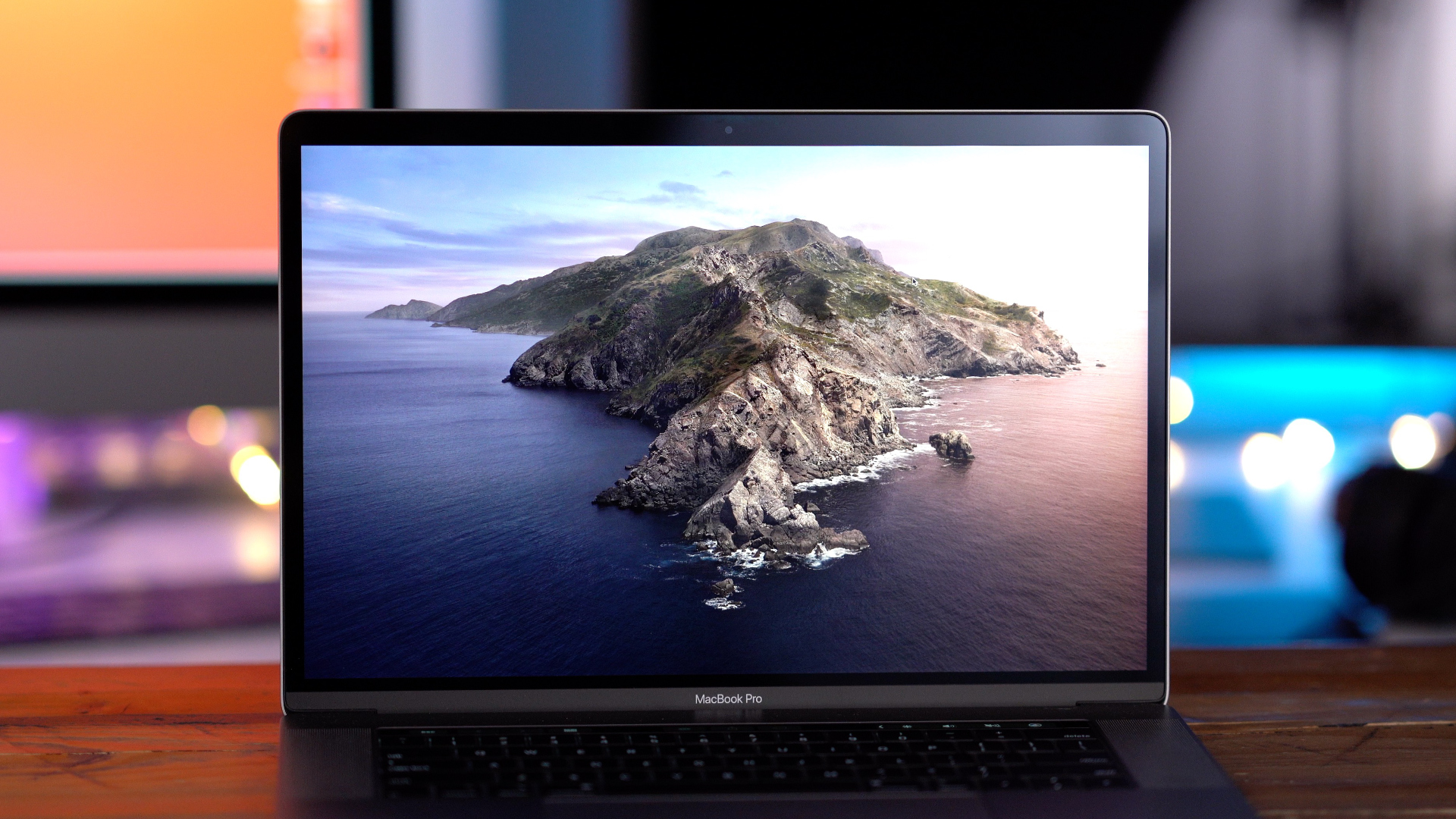
Released: October 7, 2019
Catalina killed iTunes, splitting it into Music, Podcasts, and TV. It introduced Sidecar (iPad as a second display) and dropped all 32-bit app support — a controversial but necessary step.
Key Features:
iTunes split into Music, Podcasts, TV apps
Sidecar — use iPad as a second display
Screen Time comes to Mac
Dedicated Voice Control for accessibility
End of 32-bit app support
Supported Devices: MacBook Air/Pro (2012+), iMac (2012+), Mac mini (2012+)
UI/UX Perspective: Splitting iTunes was long overdue. Sidecar gave MacBook users a cheap second display. The 32-bit app culling caused short-term pain for users with old software but cleaned up the ecosystem long-term.
macOS 10.14 — Mojave (2018)

Released: September 24, 2018
Mojave gave us Dark Mode — one of the most requested features in years. The desktop also gained Stacks for automatic file organization, and the Mac App Store was completely redesigned.
Key Features:
Dark Mode (system-wide)
Dynamic Desktop (wallpaper changes with time of day)
Desktop Stacks for file organization
Redesigned Mac App Store
iOS apps ported to Mac (Home, Voice Memos, Stocks, News)
Supported Devices: MacBook Air/Pro (2012+), iMac (2012+), Mac mini (2012+), Mac Pro (2013+)
UI/UX Perspective: Dark Mode was the headline, and it delivered. Mojave was the first step in Apple's strategy to bring iOS apps to the desktop — messy at first, but foundational.
macOS 10.13 — High Sierra (2017)
Released: September 25, 2017
Under-the-hood improvements: a new file system (APFS), better video compression (HEVC), and Metal 2 for graphics. Visible changes were minimal but the foundations improved dramatically.
Key Features: APFS file system, HEVC/H.265 video, Metal 2, iCloud Drive folder sharing
UI/UX Perspective: A "tick" release — mostly invisible to users but critical infrastructure work. Not exciting, but necessary.
macOS 10.12 — Sierra (2016)
Released: September 20, 2016
Sierra brought Siri to the Mac for the first time and introduced Auto Unlock (unlock your Mac with Apple Watch). iCloud Drive improvements made file syncing more reliable.
Key Features: Siri on Mac, Auto Unlock with Apple Watch, Universal Clipboard, iCloud Desktop & Documents
UI/UX Perspective: Siri on Mac felt awkward at first — but the groundwork for today's AI integration started here. Auto Unlock with Apple Watch remains one of Apple's most underrated features.
macOS 10.11 — El Capitan (2015)
Released: September 30, 2015
A performance and stability-focused release. Split View (two apps side by side), Mission Control improvements, and a faster Metal-based graphics engine.
Key Features: Split View, Mission Control upgrade, pinned tabs in Safari, Metal graphics framework
UI/UX Perspective: Split View finally brought proper side-by-side multitasking. A polishing release after the major Yosemite redesign.
macOS 10.10 — Yosemite (2014)

Released: October 16, 2014
Yosemite was a visual reset — flat design, translucency, and a new San Francisco-inspired aesthetic replaced the old skeuomorphic look. It also introduced Continuity — Handoff, AirDrop between Mac and iPhone, and SMS on Mac.
Key Features: Flat redesign, Continuity/Handoff, SMS from Mac, Spotlight reimagined, Translucency effects
UI/UX Perspective: Yosemite was macOS's flat design moment, mirroring iOS 7. It split opinion — some missed the texture and depth of older versions. In hindsight, it set the template for everything that followed.
macOS 10.9 — Mavericks (2013)
Released: October 22, 2013
Apple’s first free macOS update, marking a shift in pricing strategy. Mavericks focused heavily on power efficiency and introduced several iOS-inspired apps to the Mac.
Key Features: Finder Tabs, Tags, Maps app, iBooks, App Nap, improved multi-display support
UI/UX Perspective: Finder Tabs and Tags significantly improved file organization workflows. Multi-display support finally felt modern, especially for professional setups.
macOS 10.8 — Mountain Lion (2012)
Released: July 25, 2012
A strong push toward iOS integration, bringing more mobile-like experiences to macOS.
Key Features: Notification Center, iMessage, Reminders, Notes, iCloud integration, AirPlay Mirroring
UI/UX Perspective: This version blurred the line between desktop and mobile. Notification Center introduced a passive information model that became core to macOS UX.
macOS 10.7 — Lion (2011)
Released: July 20, 2011
A major transition release that introduced many iOS-inspired paradigms to the Mac.
Key Features: Launchpad, full-screen apps, Mission Control, Mac App Store, Auto Save, Resume
UI/UX Perspective: Lion was controversial — it introduced touch-like interactions (like natural scrolling) to a non-touch platform. It reshaped how users navigated apps and spaces.
macOS 10.6 — Snow Leopard (2009)
Released: August 28, 2009
A refinement-focused release with almost no visual changes, but major under-the-hood improvements.
Key Features: 64-bit architecture, Grand Central Dispatch, OpenCL, Microsoft Exchange support
UI/UX Perspective: A classic “no new features” release that actually improved everything. Faster performance directly enhanced perceived UX without changing visuals.
macOS 10.5 — Leopard (2007)
Released: October 26, 2007
One of the most feature-packed macOS releases, introducing many foundational tools.
Key Features: Time Machine, Spaces, Quick Look, redesigned Finder, Boot Camp
UI/UX Perspective: Time Machine became one of the best UX implementations of backup ever — visual, intuitive, and stress-reducing. Spaces introduced early virtual desktop concepts.
macOS 10.4 — Tiger (2005)
Released: April 29, 2005
A major upgrade focused on search, widgets, and performance.
Key Features: Spotlight, Dashboard widgets, Safari RSS, Automator
UI/UX Perspective: Spotlight changed how users interact with their system — shifting from navigation to search. Dashboard widgets hinted at micro-app UX before mobile widgets became mainstream.
macOS 10.3 — Panther (2003)
Released: October 24, 2003
A performance and usability upgrade over earlier Mac OS X versions.
Key Features: Exposé, FileVault, Fast User Switching, improved Finder
UI/UX Perspective: Exposé was revolutionary — a spatial way to manage windows that felt intuitive and fast. It solved window clutter elegantly.
macOS 10.2 — Jaguar (2002)
Released: August 23, 2002
A stability and usability update that made Mac OS X more practical for everyday use.
Key Features: iChat, Address Book, Quartz Extreme, Universal Access
UI/UX Perspective: Jaguar made the OS feel more complete and usable. Accessibility features began to mature here.
macOS 10.1 — Puma (2001)
Released: September 25, 2001
A necessary performance update following the initial Mac OS X release.
Key Features: Faster performance, improved DVD playback, better OpenGL support
UI/UX Perspective: Less about new features, more about making the system usable. It addressed early complaints about speed and responsiveness.
macOS 10.0 — Cheetah (2001)
Released: March 24, 2001
The first official release of Mac OS X, introducing a completely new foundation for the Mac.
Key Features: Aqua interface, Dock, preemptive multitasking, protected memory
UI/UX Perspective: A radical departure from classic Mac OS. The Aqua UI (with translucency and animations) defined Apple’s modern design language, though early UX suffered from performance limitations.
The Big Picture: Design Eras
Era | Versions | Design Language |
|---|---|---|
Aqua | 10.0–10.9 | Skeuomorphic, glossy, textured |
Flat | 10.10–10.15 | Clean, translucent, iOS-inspired |
Refined | 11–15 | SF Symbols, rounded corners, Apple Silicon |
Liquid Glass | 26+ | Transparent, reflective, visionOS-adjacent |
Mac OS 9 — (1999)
Released: October 23, 1999
The final major release of the “classic” Mac OS before the transition to Mac OS X.
Key Features: Multiple Users, Keychain, Sherlock 2 (internet search), Software Update, improved networking
UI/UX Perspective: Mac OS 9 pushed the limits of the classic system, but its lack of protected memory and true multitasking showed. UX was familiar, but stability issues hinted that a full redesign was needed.
Mac OS 8 — (1997)
Released: July 26, 1997
A major UI overhaul and system modernization after years of incremental updates.
Key Features: Platinum interface, Finder improvements, multithreaded Finder, better performance
UI/UX Perspective: The Platinum UI introduced a cleaner, more structured visual system. It marked a shift toward a more modern desktop metaphor.
System 7 (Mac OS 7) — (1991)
Released: May 13, 1991
A huge upgrade that introduced many core OS concepts still used today.
Key Features: Virtual memory, multitasking (cooperative), aliases, AppleScript, Color UI
UI/UX Perspective: This is where the Mac became truly powerful. Multitasking and aliases dramatically improved workflow flexibility and productivity.
System 6 — (1988)
Released: April 1988
A stable and widely adopted version of the early Mac operating system.
Key Features: MultiFinder (optional multitasking), improved performance, better disk handling
UI/UX Perspective: Still very minimal, but extremely efficient. UX was fast and predictable, even on limited hardware.
System 5 — (1987)
Released: October 1987
A transitional update that bundled system software more formally.
Key Features: MultiFinder (introduced), improved file sharing, system packaging changes
UI/UX Perspective: Beginning of multitasking ideas, but not yet seamless. Users started to think beyond single-app workflows.
System 4 — (1987)
Released: March 1987
An incremental update alongside new Macintosh hardware.
Key Features: Finder improvements, better hardware support
UI/UX Perspective: Still very early-stage GUI thinking — simple, direct manipulation, but limited flexibility.
System 3 — (1986)
Released: January 1986
A refinement of earlier system software with better hardware compatibility.
Key Features: HFS (Hierarchical File System), improved disk organization
UI/UX Perspective: Introduction of folders as we know them today — a huge UX leap from flat file systems.
System 2 — (1985)
Released: April 1985
An update improving usability and performance of the original Macintosh system.
Key Features: Better Finder, improved speed, bug fixes
UI/UX Perspective: Still very basic, but becoming more usable for real-world tasks.
System 1 — (1984)
Released: January 24, 1984
The original Macintosh operating system, launched with the first Mac.
Key Features: Finder, Desktop metaphor, windows, icons, mouse interaction
UI/UX Perspective: Revolutionary. It introduced the graphical user interface to mainstream users — direct manipulation, WYSIWYG, and mouse-driven interaction.
Macintosh System Software (Original Macintosh) — (1984)
Released with: Macintosh 128K
The very first Apple personal computer with a GUI-based operating system.
Key Features: Bitmap display, menu bar, drag-and-drop, single-tasking
UI/UX Perspective: This was the birth of modern UI design. Compared to command-line systems, it was radically intuitive — users could see and interact with their files visually.
🧠 Big UX Evolution Insight
2001+: Reinventing foundation with Unix (Mac OS X)
1990–1999: Scaling usability (multitasking, organization)
1984–1990: Inventing GUI (mouse, windows, icons)
Quick Reference: Still Supported (2025–2026)
Version | Status |
|---|---|
macOS 26 Tahoe | ✅ Current |
macOS 15 Sequoia | ✅ Security updates |
macOS 14 Sonoma | ✅ Security updates |
macOS 13 Ventura | ⚠️ Ending support |
macOS 12 and older | ❌ No longer supported |
Every version of macOS tells a story about where Apple was — and where they wanted to go. From Aqua's playful glass buttons to today's Liquid Glass, the Mac's interface has always been a window into Apple's design philosophy.